Skip to content
Neural Soft

Use case

AI call and meeting transcription and summaries

We turn customer calls and meetings into summaries, tasks and CRM data. Your team focuses on the conversation, not on taking notes.

  • Transcripts by speaker, in English, Spanish or other languages.
  • Summary, agreements, next steps and the tone of the conversation.
  • Data and tasks that land in the CRM or the team's tool automatically.
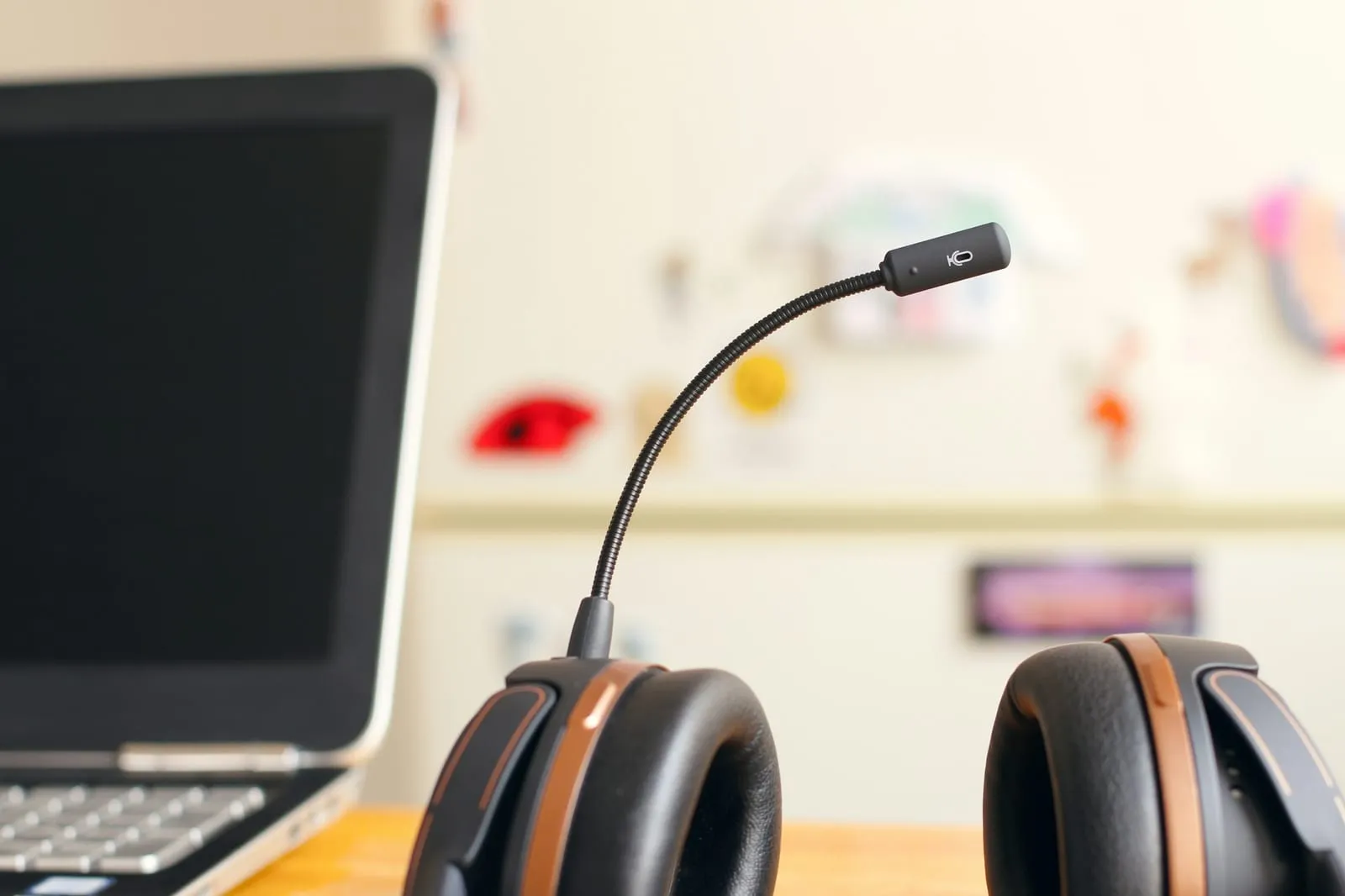
Headset with microphone next to a laptop.

How it works

From the conversation to the task in the CRM

It works with your phone system, company mobiles or Teams, Meet or Zoom meetings.

  1. Recorded with notice

    People know the call is being recorded and why.

    Notice at the start of the call

  2. Transcribed

    Speech to text, separating who is speaking, even with accents or noise.

    6 min · 2 speakers

  3. Summarised and data extracted

    Reason, agreements, tasks, dates, amounts and tone.

    Visit: Thursday 10:00

  4. Lands in the CRM

    A note on the customer record and assigned tasks.

    Task created · technician assigned

  5. Human review

    The key points are reviewed

    Whoever took the call checks the summary before closing it.

    Edit · confirm

Examples

What comes out of each conversation

Support call

6-minute call

“The customer explains that the warehouse printer is failing again two weeks after the last visit, and they agree that the technician will come on Thursday.”

Summary

Repeat fault on the warehouse printer. Second incident this month; customer unhappy.

Action
Technician visit Thursday 10:00
Priority
High (repeat incident)

Visit created in the CRM

Sales call

15-minute call

“A prospect asks about maintenance for 25 machines, compares with their current supplier and asks for a proposal before the end of the month.”

Summary

Maintenance opportunity for 25 machines. Concerned about their current supplier's response time.

Next step
Send proposal by the 30th
Objection
Response time

Opportunity created · task for the sales rep

Internal meeting

45-minute Teams meeting

“Monthly operations review with five people. They discuss delays on two routes, a new supplier and the August holidays.”

Minutes

Delays on the north and coast routes. The new supplier will be trialled in September.

Tasks
4, with owner and date
Decisions
2

Minutes sent to attendees

Where it connects

With the tools you already use

  • Cloud phone system (VoIP)
  • Microsoft Teams
  • Google Meet
  • Zoom
  • CRM
  • Email and calendar

Before and after

Fewer notes, better memory

Today

  • Notes are taken by hand while talking, and details get lost.
  • CRM records are left out of date.
  • What was agreed in a meeting depends on who remembers.
  • Nobody knows which complaints keep coming up in calls.

With AI

  • The conversation is transcribed and summarised.
  • The CRM is updated with every call.
  • Every meeting leaves minutes, tasks and owners.
  • The reasons for calls across the whole month can be analysed.

Privacy

Recording conversations means doing it right

  • Notice and legal basis

    People must know they are being recorded and why. We review the notice and the legal basis under the GDPR.

  • Data under control

    Services with a data processing agreement, no use of recordings to train models and set deletion periods.

  • No assessing people

    The tool summarises conversations; it is not used to score employees, a use the AI Act treats as high-risk.

Visual guide · Transcription and summaries

45 minutes
on one
page

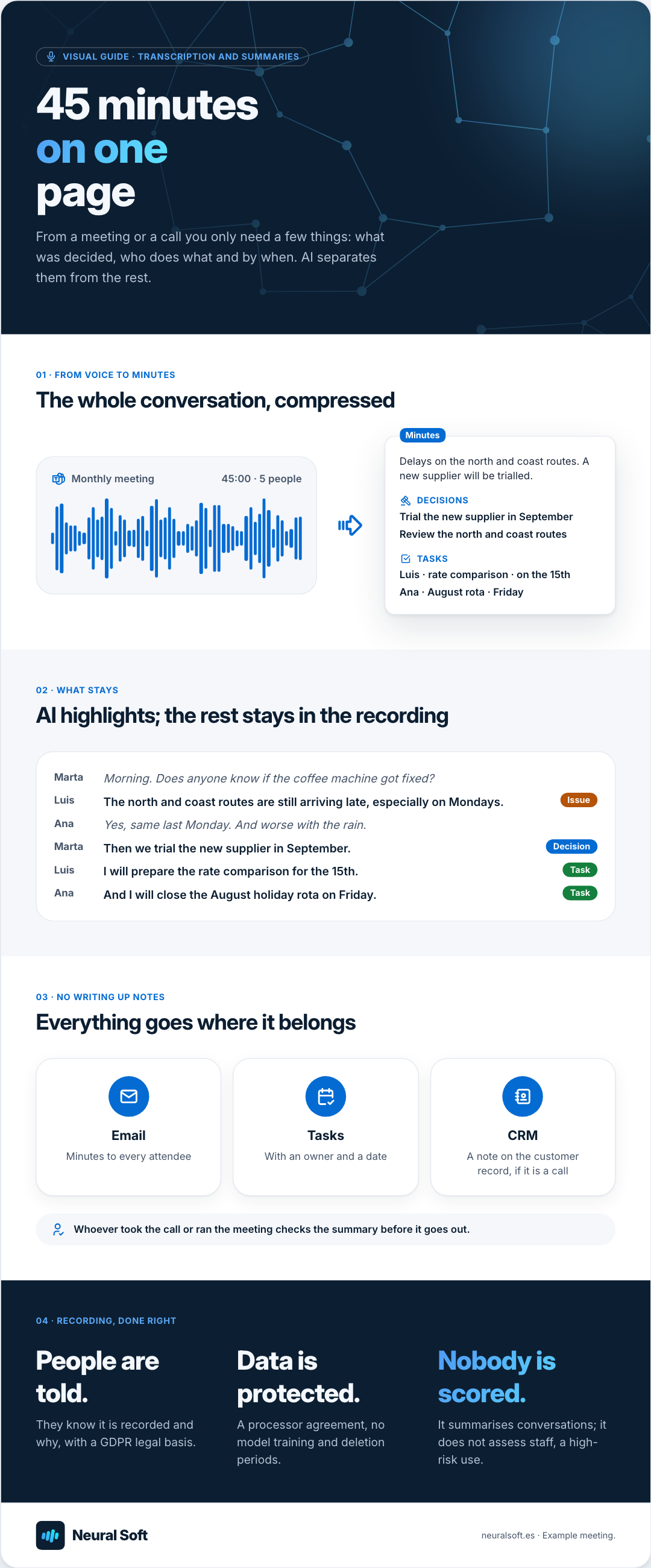
From a meeting or a call you only need a few things: what was decided, who does what and by when. AI separates them from the rest.

01 · From voice to minutes

The whole conversation, compressed

Monthly meeting 45:00 · 5 people

Minutes

Delays on the north and coast routes. A new supplier will be trialled.

Decisions

  • Trial the new supplier in September
  • Review the north and coast routes

Tasks

  • Luis · rate comparison · on the 15th
  • Ana · August rota · Friday

02 · What stays

AI highlights; the rest stays in the recording

  1. Marta Morning. Does anyone know if the coffee machine got fixed?
  2. Luis The north and coast routes are still arriving late, especially on Mondays. Issue
  3. Ana Yes, same last Monday. And worse with the rain.
  4. Marta Then we trial the new supplier in September. Decision
  5. Luis I will prepare the rate comparison for the 15th. Task
  6. Ana And I will close the August holiday rota on Friday. Task

03 · No writing up notes

Everything goes where it belongs

Email

Minutes to every attendee

Tasks

With an owner and a date

CRM

A note on the customer record, if it is a call

Whoever took the call or ran the meeting checks the summary before it goes out.

04 · Recording, done right

  • People are told.

    They know it is recorded and why, with a GDPR legal basis.

  • Data is protected.

    A processor agreement, no model training and deletion periods.

  • Nobody is scored.

    It summarises conversations; it does not assess staff, a high-risk use.

Neural Soft

neuralsoft.es · Example meeting.

Meeting table with a notebook and bottles of water.

Meetings

Everyone leaves the meeting with the same notes

Afterwards, every attendee receives the summary, the decisions made and the actions with their owners. Nobody has to write up the notes.

  • Decisions and actions separated from the rest of the conversation.
  • Each action with its owner and due date, where mentioned.
  • Where the meeting calls for it, the summary is reviewed before it is sent.

Method

A pilot with one team and one type of conversation

  1. Choose the scope

    Support, sales or internal meetings. We define which data to extract from each conversation and where it should end up.

    Summary template and data destination

  2. Test with real conversations

    We connect the source, fine-tune the summaries and measure quality with the team.

    Working pilot with human review

  3. Integrate and extend

    We automate the hand-off to the CRM and extend it to other teams if the results are convincing.

    CRM integration and usage guide

Related service

  • AI process automation

    We automate repetitive tasks with AI so your team spends less time copying data, reviewing documents, classifying requests or drafting replies by hand.

Related training

Does your team spend hours typing up notes?

Tell us which conversations you want to make the most of, which tools you work with and where the information should end up.